Color Scheme
The plugin provides a dedicated Color Scheme settings page that allows you to customize the colors used for syntax highlighting of GitLab CI YAML elements.
You can find it under Settings > Editor > Color Scheme > CI Aid for GitLab.
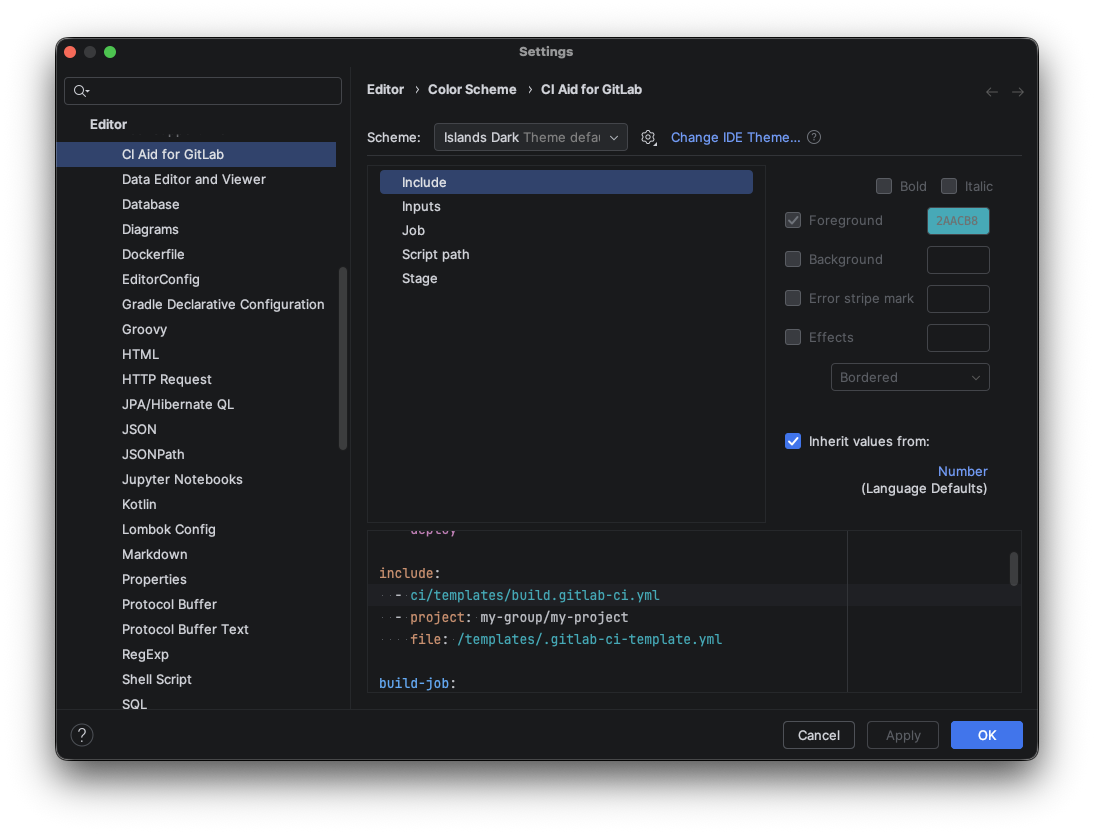
Configurable Attributes
The following highlighting attributes can be customized:
| Attribute | Description | Default Fallback |
|---|---|---|
| Stage | Stage names in stages: definitions and stage: values in jobs | Instance Field |
| Job | Job names (top-level keys) and job references in needs: | Instance Method |
| Script Path | File paths in script:, before_script:, and after_script: blocks | Number |
| Include | File paths and references in include: blocks | Number |
| Inputs | Input references such as $[[ inputs.environment ]] | Instance Field |
How to Customize
- Open Settings (
Cmd + ,on macOS /Ctrl + Alt + Son Windows/Linux). - Navigate to Editor > Color Scheme > CI Aid for GitLab.
- Select the attribute you want to customize from the list.
- Modify the foreground color, background color, font style, or effects as desired.
- The preview pane on the right shows a live demo of your changes.
- Click Apply or OK to save.